Reviewer & Editors
01. Reviewer (e.g., prof.reviewer@uni.edu)
Role Description: Performs initial quality and research content review. Ensures the submission is original, complete, and meets the collection’s academic standards.
Actions:
- Log in.
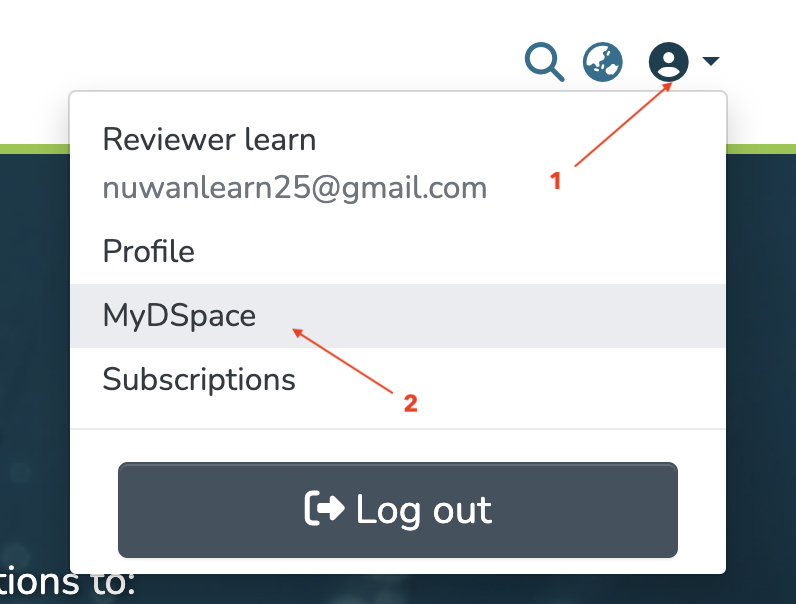
- Click Profile [1]→ MyDSpace [2]→ Workflow Tasks [3].
3. Open the assigned submission.
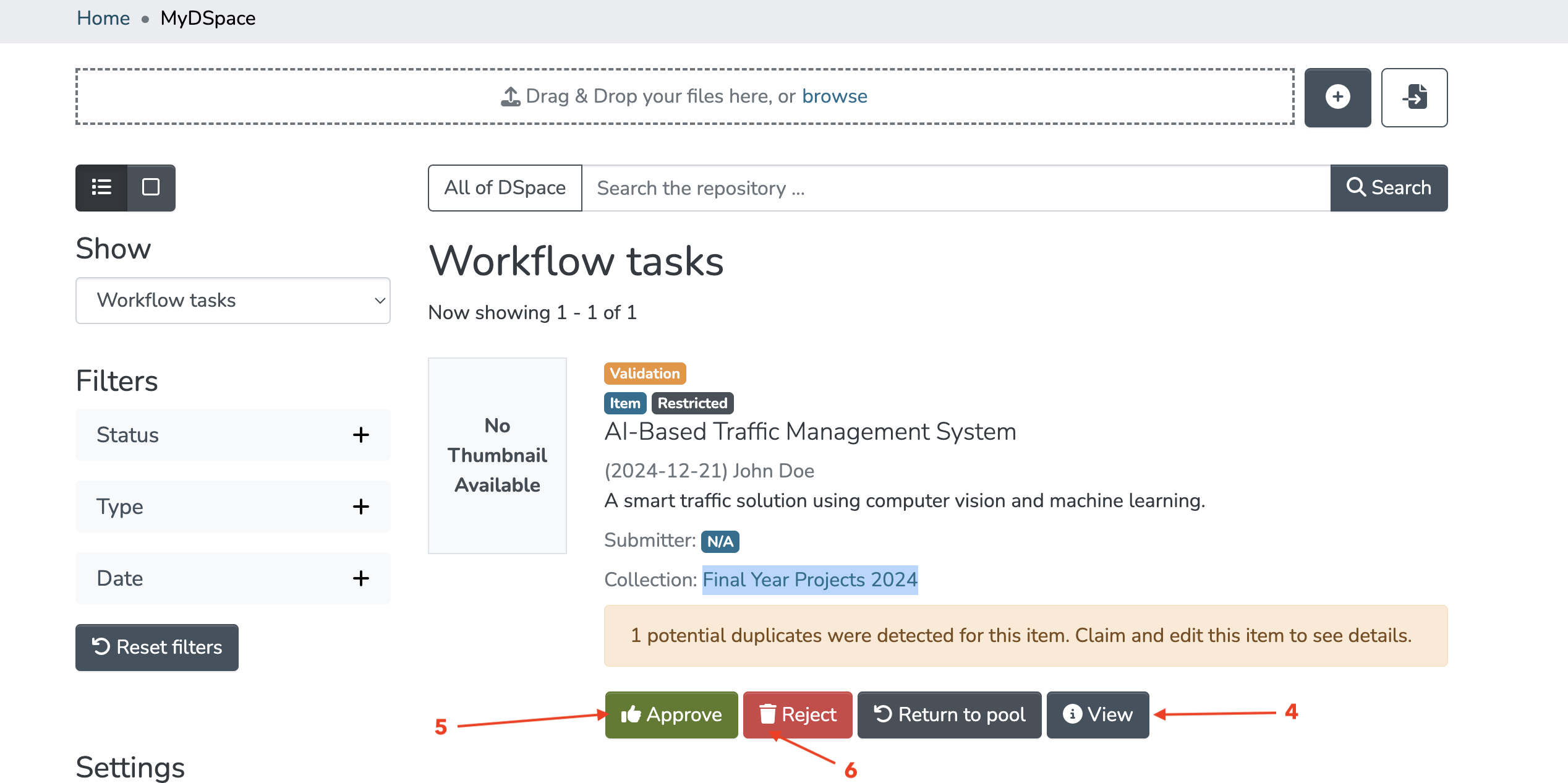
 4. Review the research paper [4].
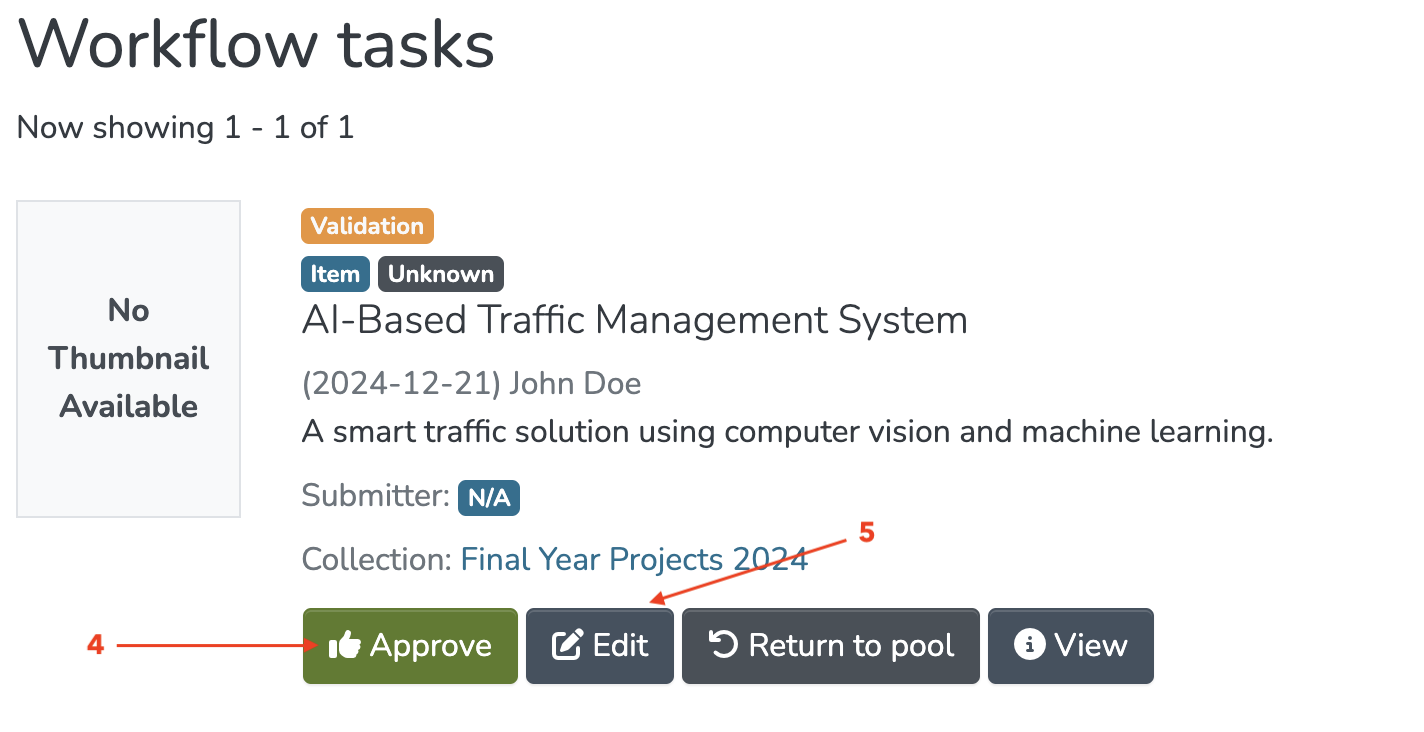
Options: - Approve [5] → sends to Editor.
- Reject [6]→ notifies Submitter of rejection.
- Request revisions → sends back to Submitter.
Example Reviewer Comments:
"The methodology section lacks detail. Please add a flowchart of your experimental process and resubmit."
2. Editor
Role: Ensures metadata accuracy, improves item visibility, and curates content.
What the Editor Does:
Access the Approved Submission:
- Log in as the editor (e.g., editor.cs@uni.edu).
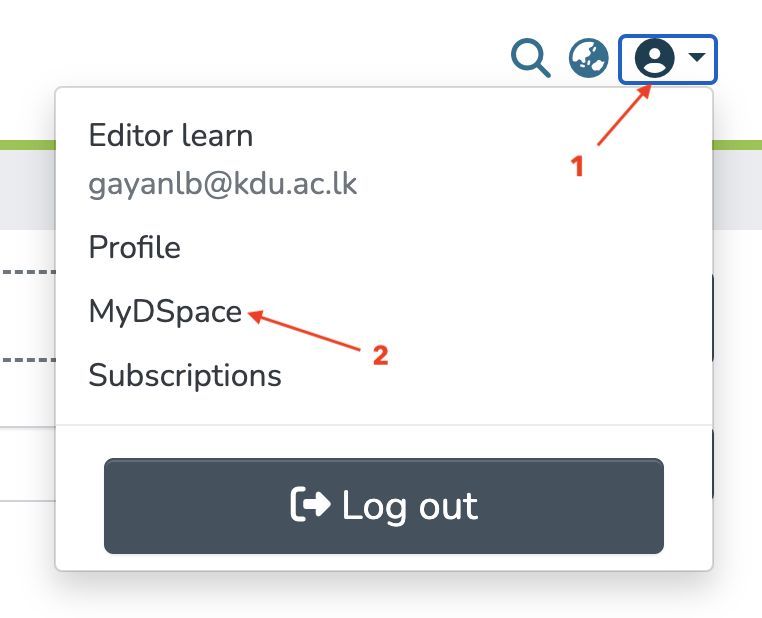
- Click Profile [1]→ MyDSpace [2]→ Workflow Tasks [3]

Edit Metadata:
- Fix typos in the title/abstract.
- Add missing keywords (e.g., "machine learning, climate modeling").
- Ensure Dublin Core fields (author, date, subject) are accurate.
Curate the Item:
- Assign a persistent identifier (e.g., Handle or DOI).
- Link related items (e.g., datasets, code repositories).
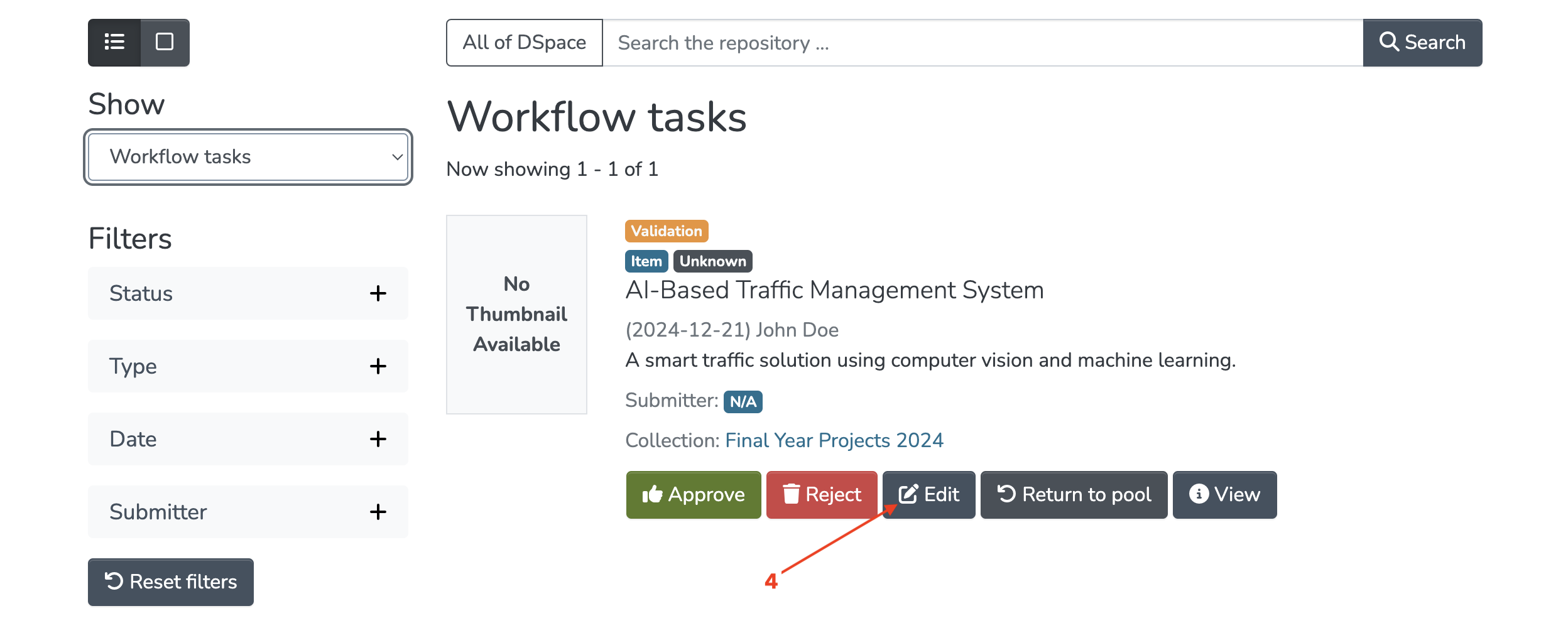
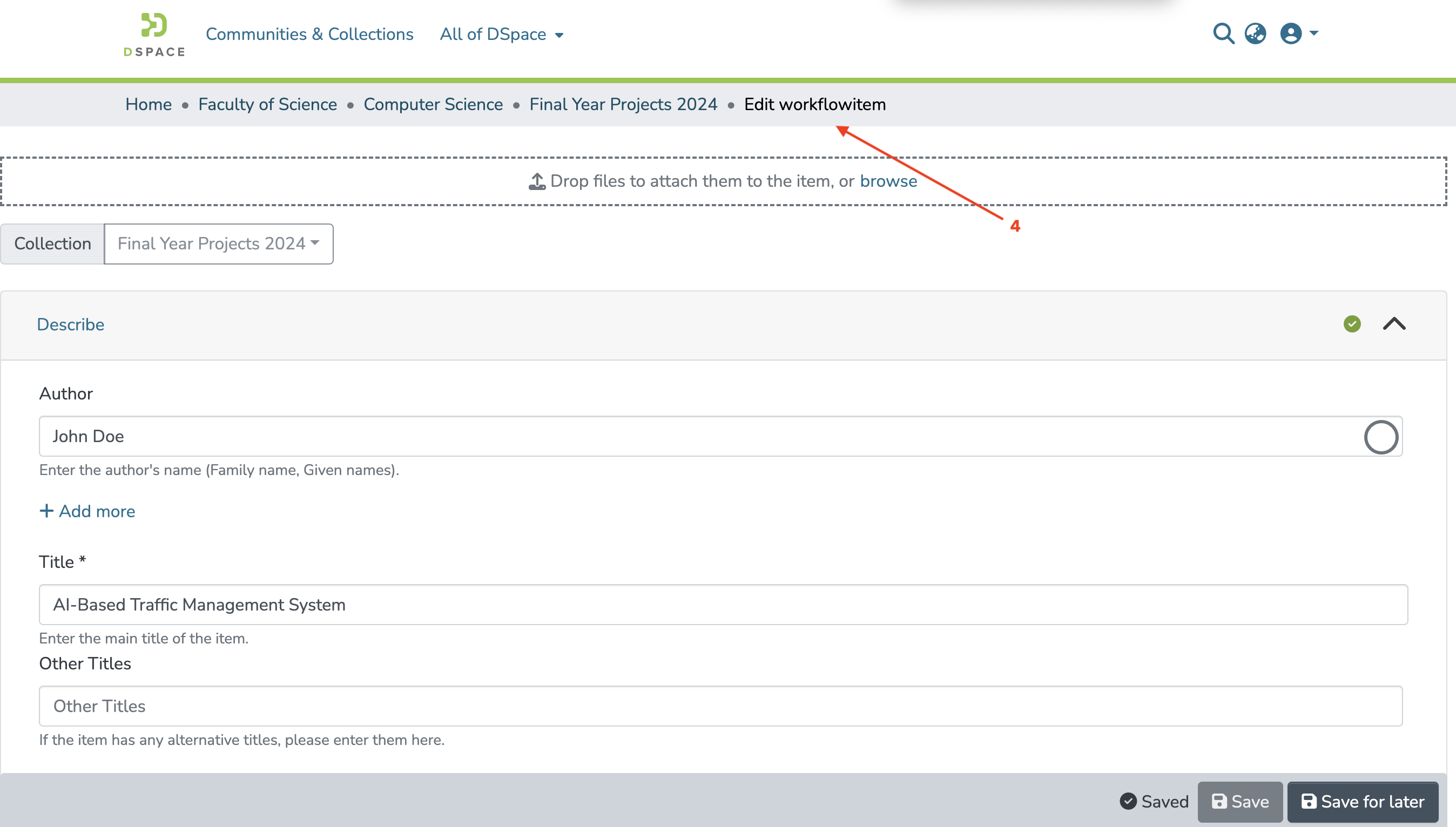
Example Editor Actions:
Added keywords "AI ethics" and corrected author affiliation formatting.
3. Final Editor (Site Admin)
Role: Oversees final approval and publication.
What the Site Admin Does:
1. Final Review:
- Log in as the Final Editor (e.g.,
finaleditor@gmail.com).
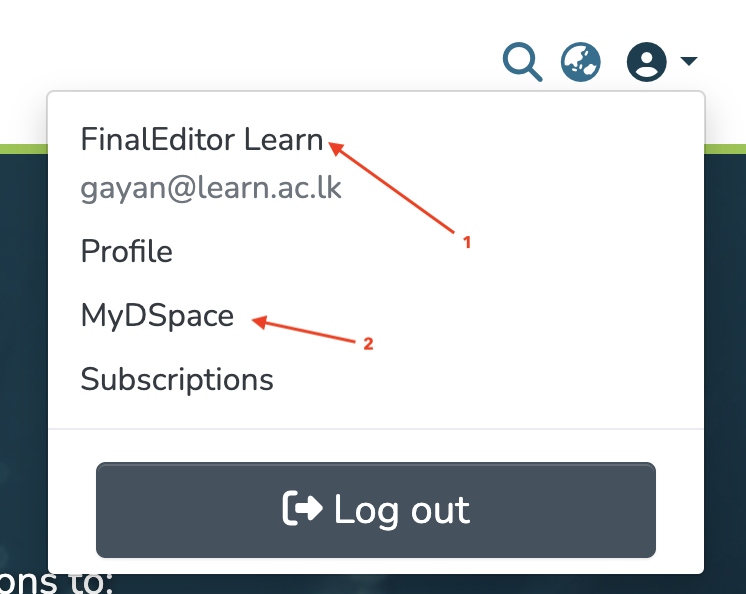
- Click Profile [1]→ MyDSpace [2]→ Workflow Tasks [3]

2. Approve for Archiving:
- Ensure the submission meets institutional standards.
- Click Accept to publish the item to the collection.
3. Assign Access Rights:
- Set embargo periods (if needed).
- Confirm licensing (e.g., Creative Commons).
4. Collection Admin
Role: Manages the collection’s structure and permissions.
What the Collection Admin Does:
1. Monitor Submissions:
- Track workflow progress (e.g., pending reviews, rejected items).
2. Adjust Policies:
- Update submission guidelines or metadata requirements.
- Modify roles (e.g., add/remove reviewers).
Workflow Summary
- Submitter: Submits item → enters workflow.
- Reviewer: Approves/rejects → sends to editor.
- Editor: Refines metadata → sends to Site Admin.
- Site Admin: Publishes item → archived in the collection.
Key DSpace Pages for Each Role
- Reviewer:
Administration → Submissions → [Collection Name] - Editor:
Administration → Curate → [Collection Name] - Site Admin:
Administration → Submissions(for final approval).
🛠 Editor (e.g., editor.cs@uni.edu)
Role Description: Responsible for metadata editing, formatting checks, and curation.
Actions:
- Log in.
- Click Profile → MyDSpace → Workflow Tasks.
- Open the assigned submission.
- Review and improve metadata (title, abstract, authors, keywords).
- Approve and send to Final Editor, or mark complete if no Final Editor.
✍️ Final Editor (e.g., finaleditors.cs@uni.edu)
Role Description: Performs final verification and quality assurance before publication.
Actions:
- Log in.
- Click Profile → MyDSpace → Workflow Tasks.
- Open the assigned submission.
- Perform last checks (licensing, embargo, formatting).
- Approve → Item becomes published and publicly visible in Final Year Projects 2024 collection.