End User Guide for LEARN-TUBE
Video Guide - End User Guide for LEARN-TUBE
Following guide is for the user to publish a video in LTUBE.
- First, access the LTUBE and sign in(https://ltube.learn.ac.lk)
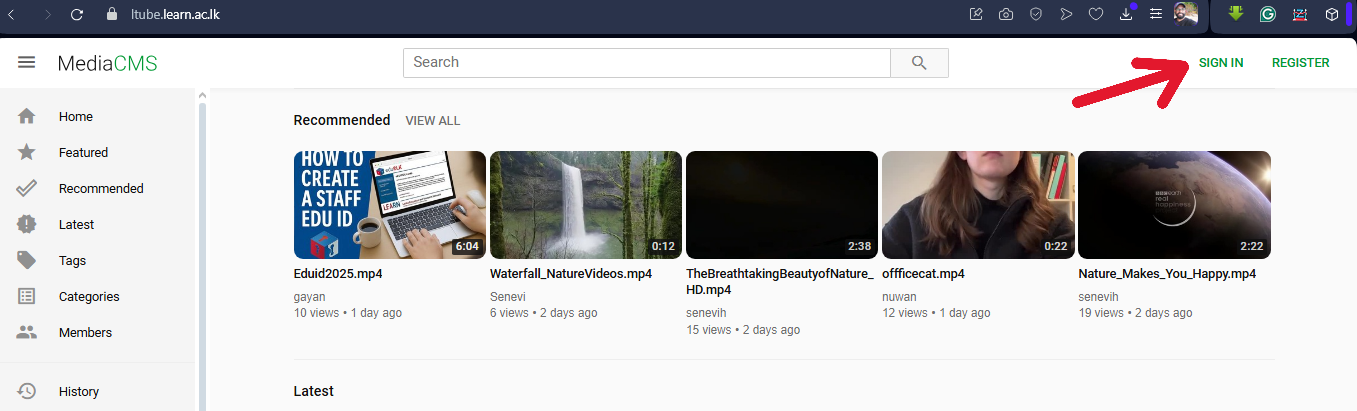
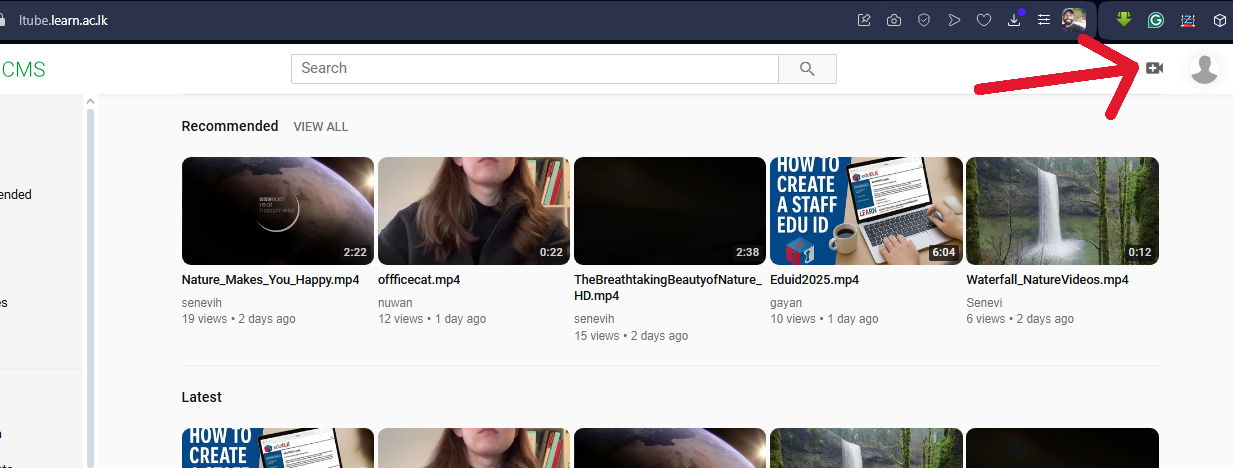
- Then Click on the upload media button
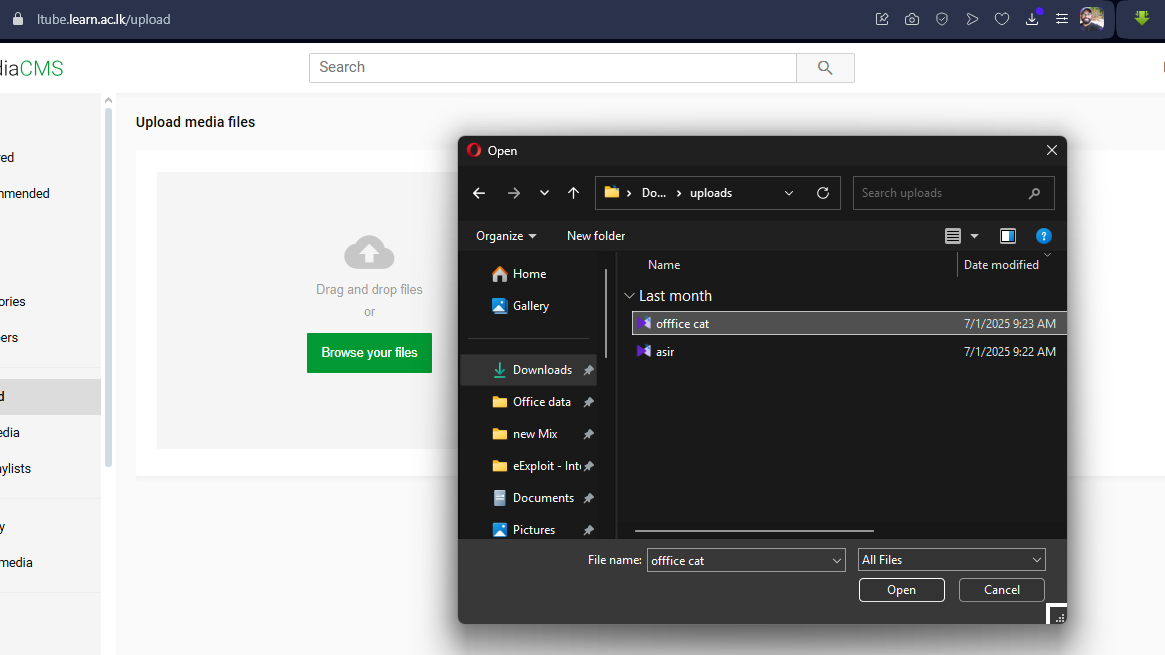
- You will see this page
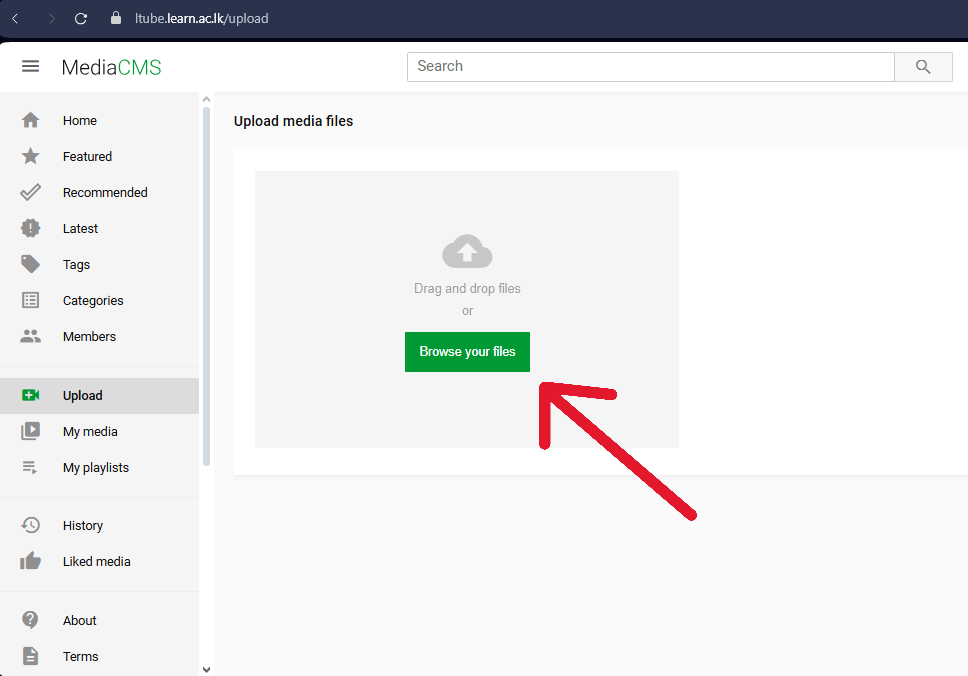
- Select your video file
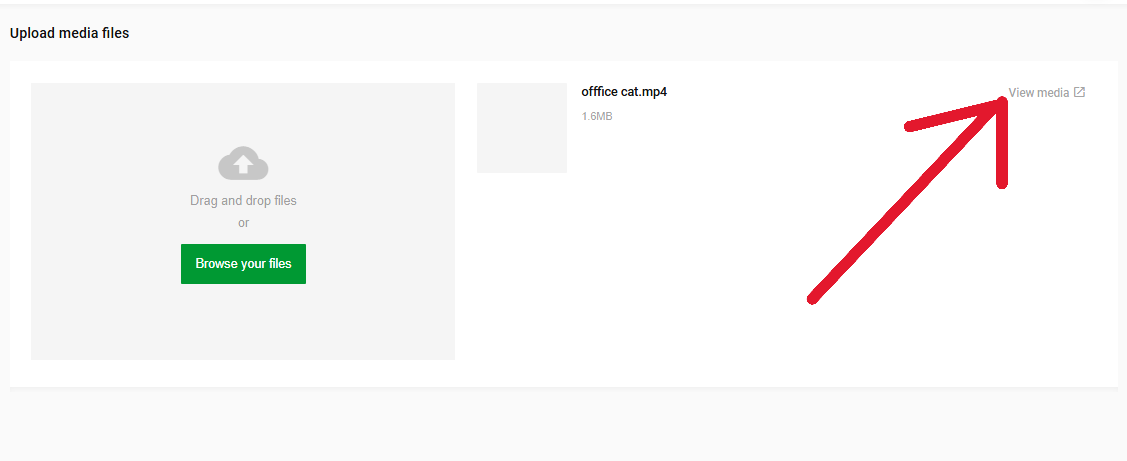
- Wait for the upload to finish, then click on the View media
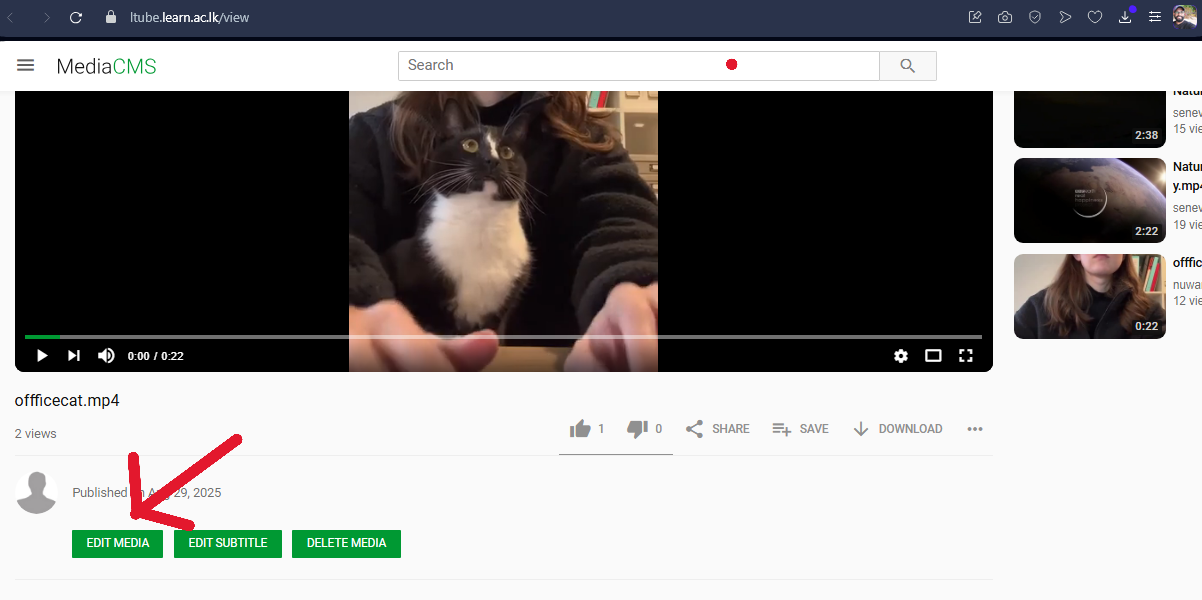
Edit the details for the video
- Now click the "edit Media" button
- Add relevant hashtags, from this first tab
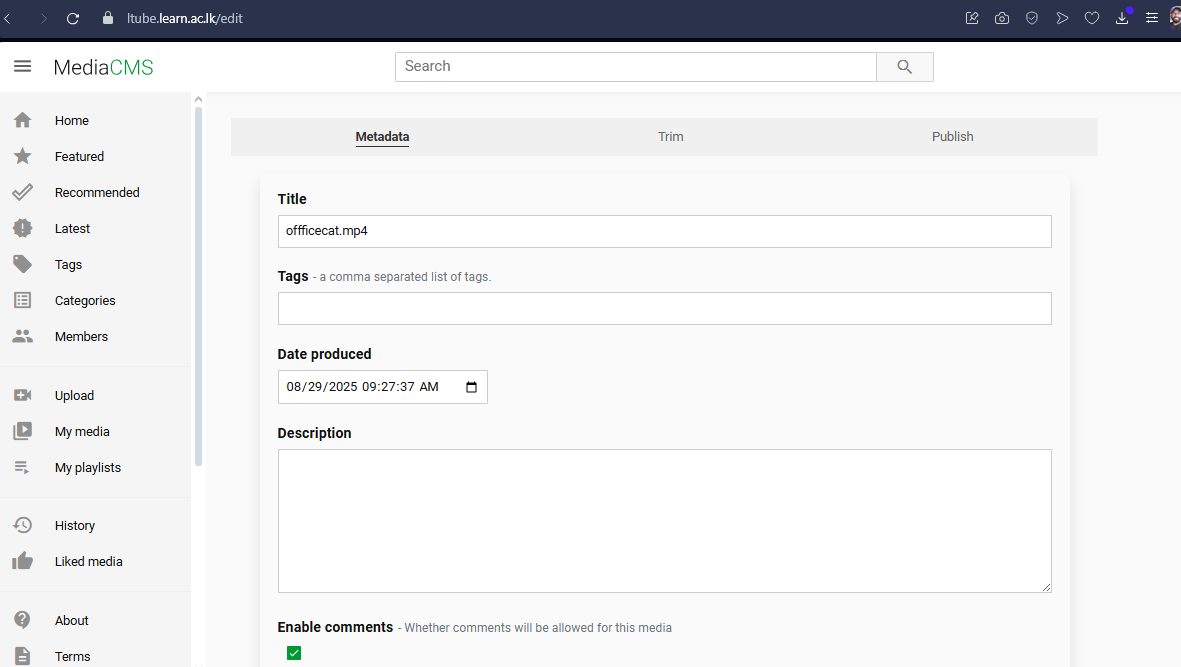
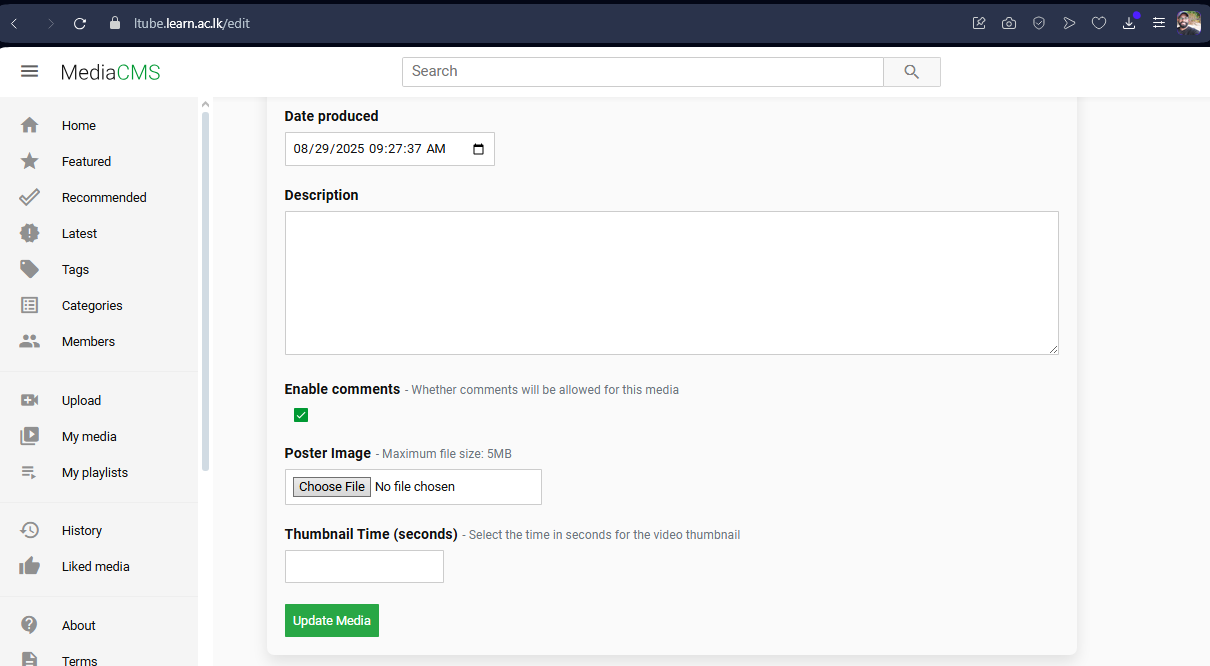
- Also add the Thumbnail for the video and enable comments
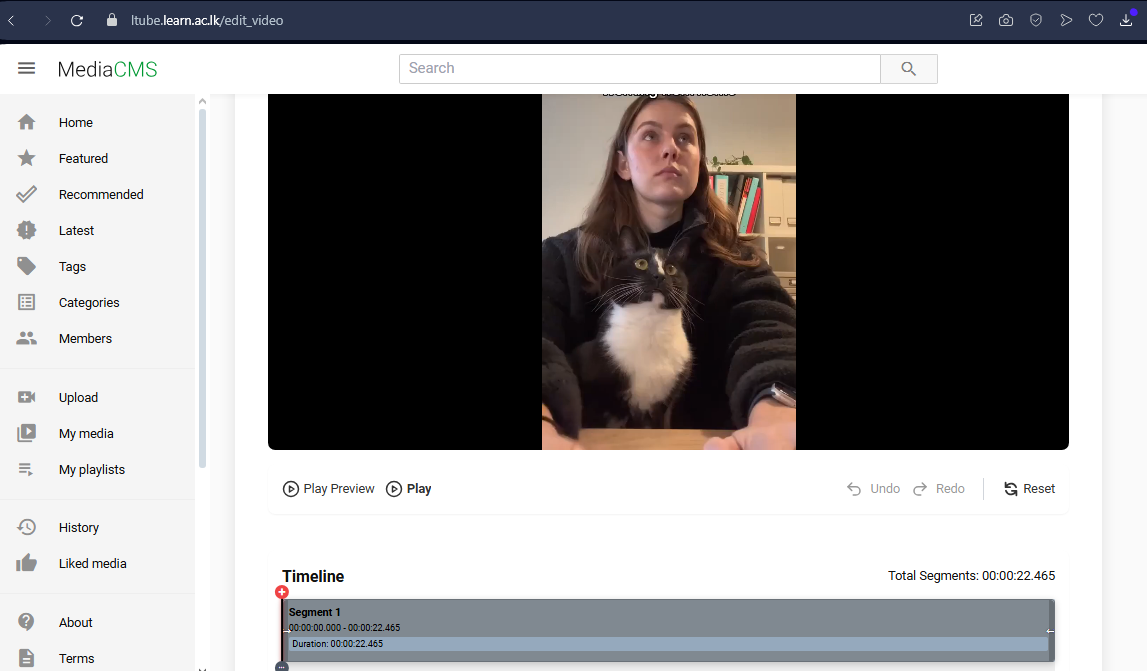
- From the Second Tab, you can edit the Video by trimming
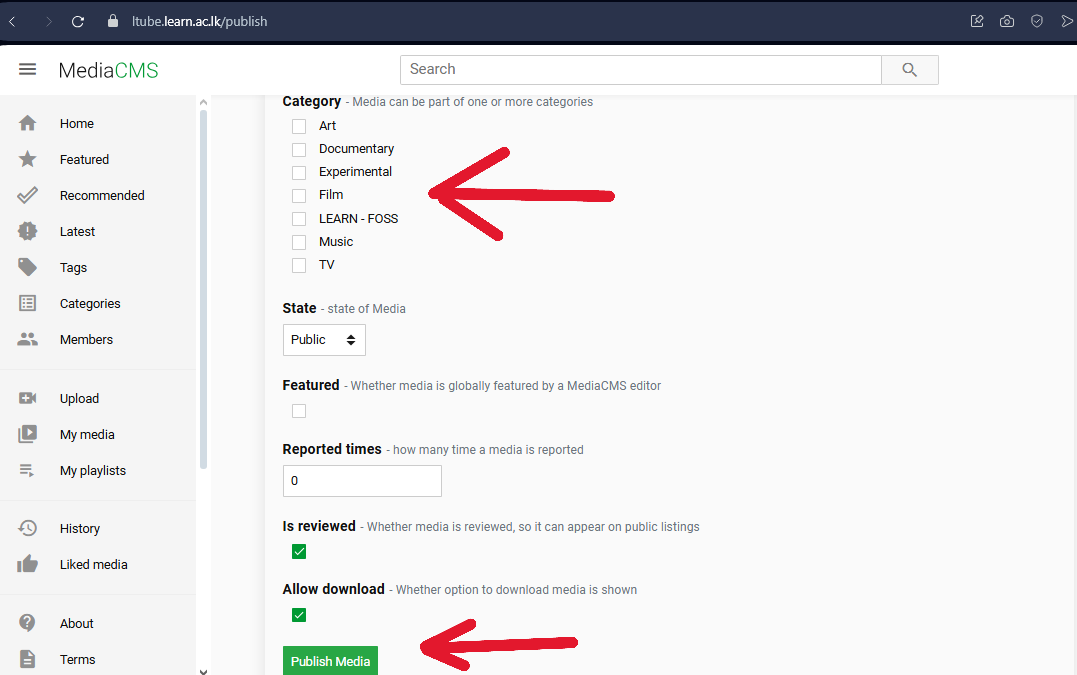
Publishing the video
- In the Publish Tab , Please select the relevant category for the video, then go for publishing
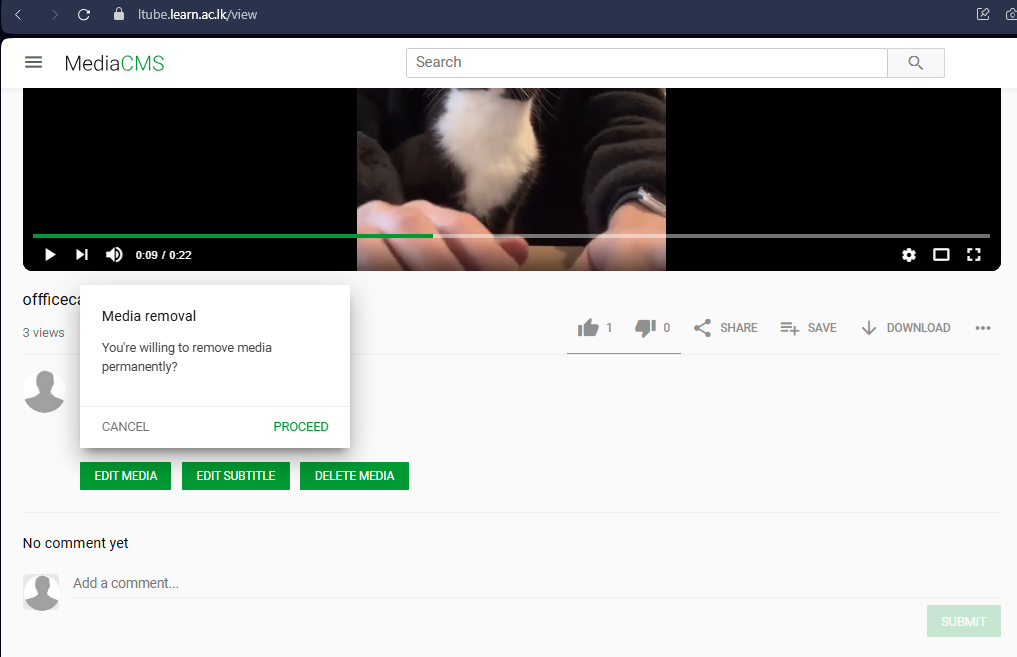
- Removing the video
Playlists
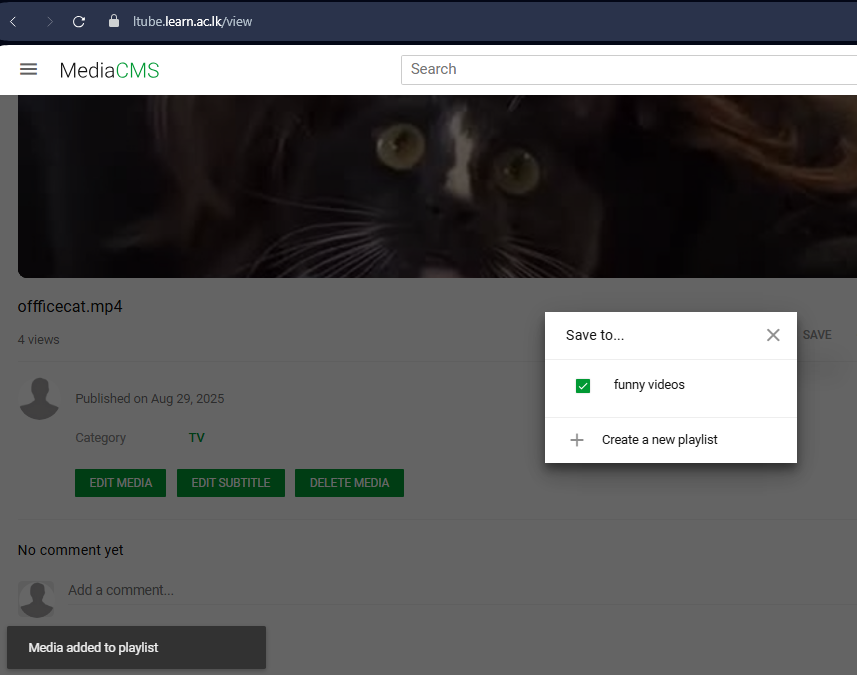
- If you want to add the video to a playlist, click on the Save button.
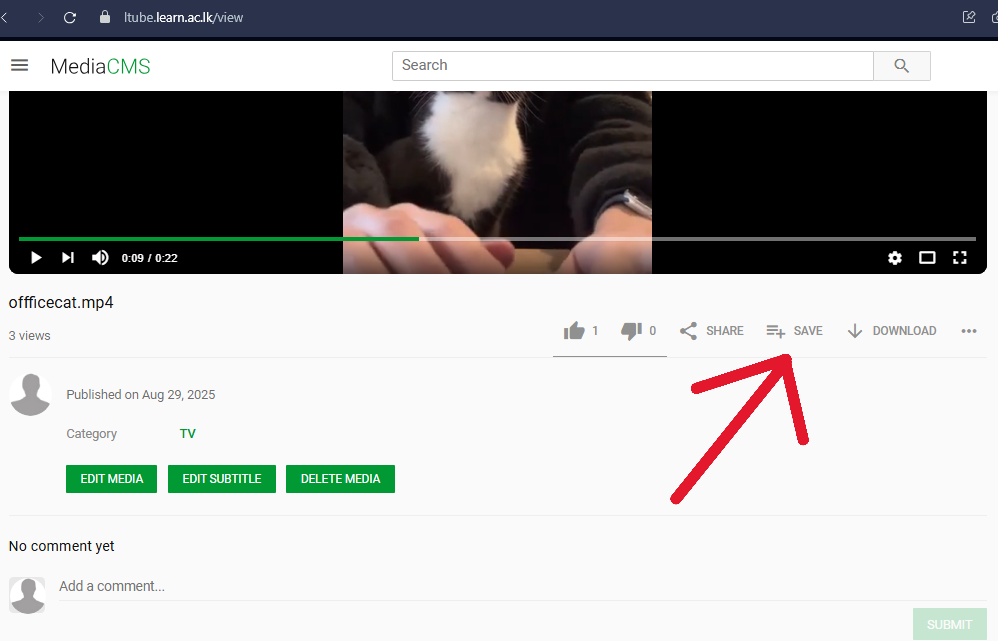
- If you don't have playlists, then you can create them from the same popup
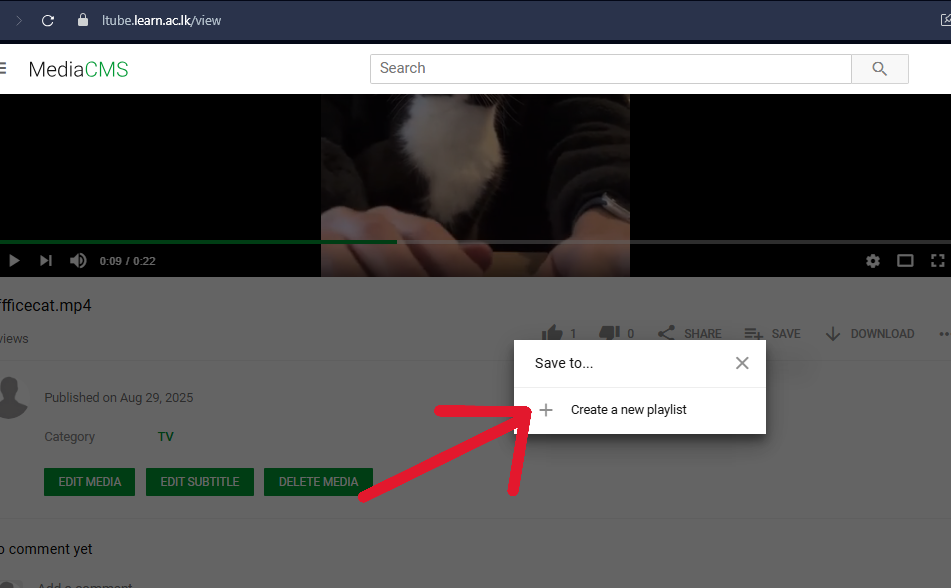
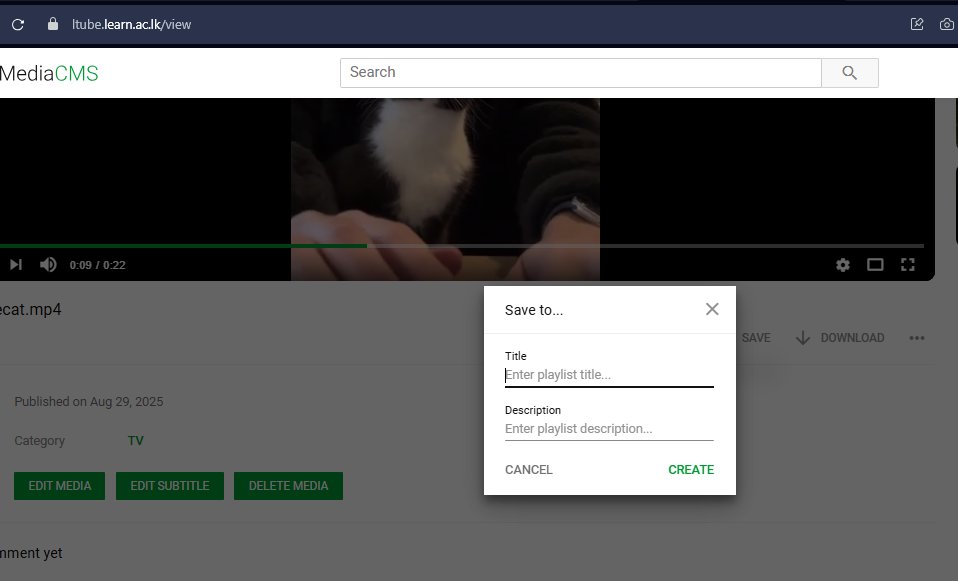
- create playlist as per your requirement
- then add to the relavent playlist by marking the check box
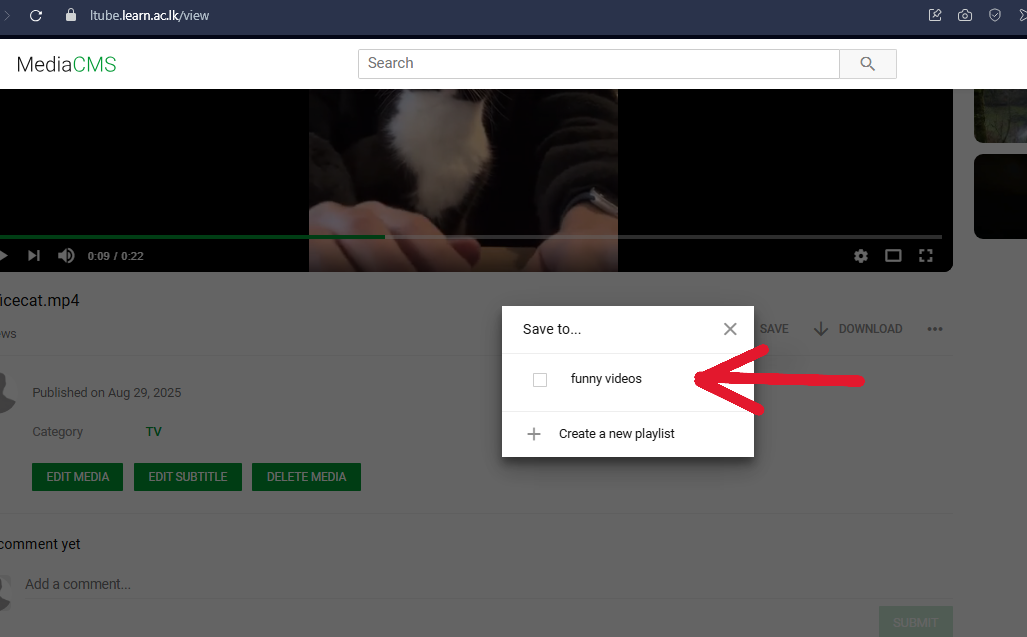
- then click save, it will add to the selected playlist